2022 – 2023
Removing complexities & simplifying Spark's online portal for business customers
SPARK PORTAL
The Context:
Spark, a leading telecommunications and digital services company in New Zealand, aims to provide a user-friendly and efficient portal for its large business and government customers to manage their accounts and products seamlessly. This case study outlines the process of designing and improving the Spark Portal to enhance user satisfaction, streamline account management, and facilitate product management.
The Challenge:
The current portal was built 10 years ago, with limited attention or updates in that time, leaving our customers with a 'clunky' experience. The MySpark Business Portal is the only true digital touchpoint for our Corporate, Enterprise and Government customers. It's current product-centric complexities create a huge barrier to customers receiving a seamless experience.
The Team:
-
Product Owner
-
UX/UI Designer (myself)
-
Front-end Developers
-
Back-end Developers
-
Quality Assurance Testers
The Solution:
There is the opportunity for the portal to become a product in itself. The portal needs to be streamlined, simplified, and solve the true problems for our business customers.

User Story
As a Spark Corporate, Enterprise or Government customer, and as a Spark Internal employee managing these customers, I want the ability to view and manage my Spark services online, so that I can quickly and easily access details about my services and make changes as needed.
Project goals
Enhance the user experience by providing an intuitive and efficient interface.
Streamline account and product management for large business and government customers.
Improve self-service capabilities to reduce customer support inquiries
What does the portal need to do for our customers?
We completed a significant amount of customer research through:
-
Qualitative research survey with internal customers
-
Qualitative 1:1 interviews with internal customers
-
Qualitative 1:1 interviews with Enterprise customers
-
Current top ten pages and customer segments
This was then defined through:
-
An experience map [image below - blurred for company privacy]
-
Role based goals
-
Prioritising requirements
UX Research
DISCOVER AND DEFINE

A Manual Heavy, Highly Unsatisfying Process
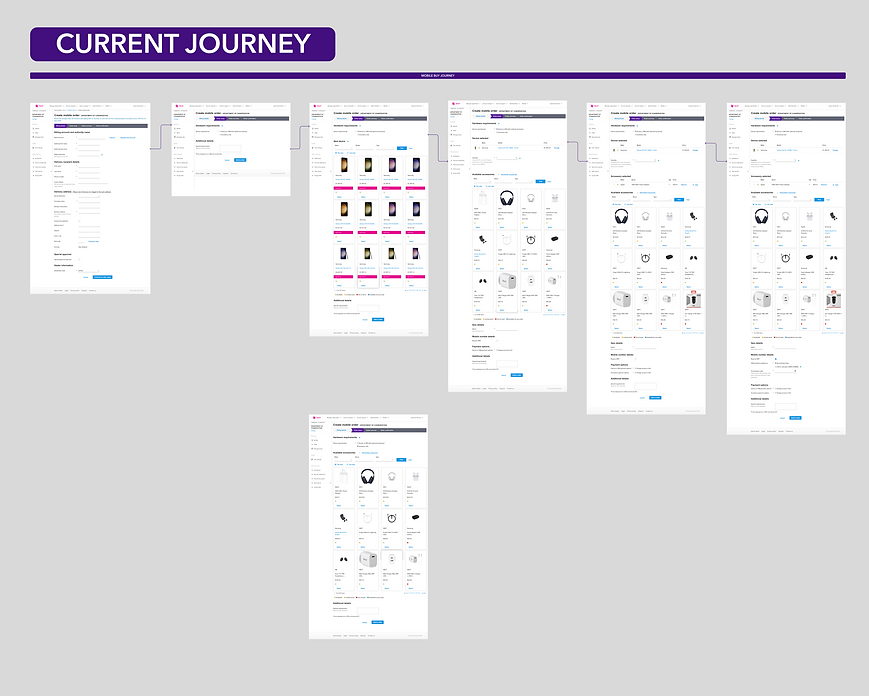
From the stakeholder interview and usability test alone, it was clear that the current process of purchasing insurance form Turners was manual heavy. Overall the experience of purchasing insurance online was rated at an average of 2/10, with users taking more than 1 minute to even find the insurance page while also failing to complete the task of getting a quote online.
Diving deeper into the pain points of customers, the existing user journey and user flow of the insurance purchasing process allowed us to identify the key stages in the process where drop off was likely and negative emotions were rife. The proposed user flow was developed and refined as we progressed through the design process but was helpful to place beside the existing user flow in order to see the focus of our improvements.
-
There is a need to integrate the products and tasks. Currently the users have to navigate through multiple tools and accesses to perform simple tasks. There are unnecessary complexities on the current platform.
-
The portal is clunky and sometimes slow, and there is a wish for a faster, more streamlined experience where they don't have to open multiple pages and tabs at once.
-
Users wish they could self-service more, often still relying on Spark employees, making it time consuming on both ends.
Key Findings
The current platform has over 30 different roles. Based on our research, we simplified this down to 3 roles that represent the different user groups and their needs:
-
Admin: Allows for the ability to view and manage all functionality associated with an organisation or its associated 'children'.
-
Manage: Able to perform functions required to manage an organisation.
-
View: Allows for the ability to view basic information in regards to an organisation.
Roles
We revamped the portal's information architecture to ensure clear and logical organisation of content and features:
-
Dashboard: A personalised dashboard provides an overview of the customer's products and key metrics with the ability to customise it to suit their needs.
-
Products: Each product has it's own dashboard page with all key information/ metrics for that particular product. Along with the ability to self-service these products.
-
Reports: Access to usage data and reports across products.
-
Support and Resources: A help guides section that provides written guides and videos allowing the user to seamlessly navigate the portal when stuck.
-
Change organisation: Providing the ability for those users managing multiple customers/ organisations to seamlessly change between them.
Information Architecture
IDEATE

Wireframes and prototypes were created to visualise the user interface and test different layouts and functionalities. These were iteratively refined based on feedback from users and stakeholders.
Wireframing and Prototyping
I followed Spark's brand guidelines to create a clean, professional, and visually appealing design – ensuring that the portal's colour scheme, typography, and icons were consistent with Spark's branding.
Visual Design


Using the iterated version of the portal protoype we conducted user testing with 10 users - 5 were our large business customers, and 5 were internal Spark customers.
Validating the designs
TESTING
Testing the latest prototype for MySpark business and specifically if new and current users can:
-
Easily navigate the portal and find the different sections
-
Modify, add, or monitor their products with ease
-
Find, help/ resources if they are stuck so they can self-serve more
-
Change their user details, or switch accounts, in just a few seconds.
Research goals
Methodology
-
10 x 30min interviews with current and new users of the portal amongst customers and internal Spark staff
After further rounds of iteration and testing we landed on final designs.
The final solution for the Spark Portal for large business and government customers is a user-centric, comprehensive web application that provides an efficient and intuitive platform for managing accounts and products.
Removing complexity
SOLUTION
The redesigned Spark Business Portal establishes a scalable, future-ready foundation for large business and government customers. By simplifying role structures, integrating products and tasks into a unified experience, and prioritising intuitive self-service, the portal is positioned to significantly reduce friction across day-to-day account management.
Due to the scale and phased rollout of this project, the dashboard was not launched during my time at Spark. However, usability testing prior to launch showed a clear reduction in task completion time across key workflows, with participants consistently able to complete account management tasks they had previously needed Spark support staff to assist with.
Once live, the anticipated impact is substantial. Customers will be able to complete key actions more efficiently, with fewer dependencies on internal Spark teams, leading to reduced support volumes and operational cost savings. Clearer navigation and personalised dashboards are expected to drive higher engagement and adoption, while streamlined product management should shorten task completion times and improve overall satisfaction.
Together, these improvements position the portal to function not only as a support tool, but as a strategic digital product that strengthens customer relationships and enables scalable growth within Spark’s business ecosystem.
The Outcome


-
Users can navigate the portal easily, and praise the dashboard layout, appreciating that they can edit it.
-
Finding a connection, adding users, tracking orders: the portal adapts well to users’ different logics and makes the tasks easy.
-
Finding mobile details and navigating the section felt very natural.
-
Minor unknowns around ‘Reports’ as the page functionality is not finalised but the way to access it is intuitive.
-
Finally, users loved the new way guides are being laid out, and how easy it was to switch accounts.
Our findings